Integrating CCM Alerts With Engineering Ticketing Systems
Map alerts to ticket fields before routing to prevent ignored queues.
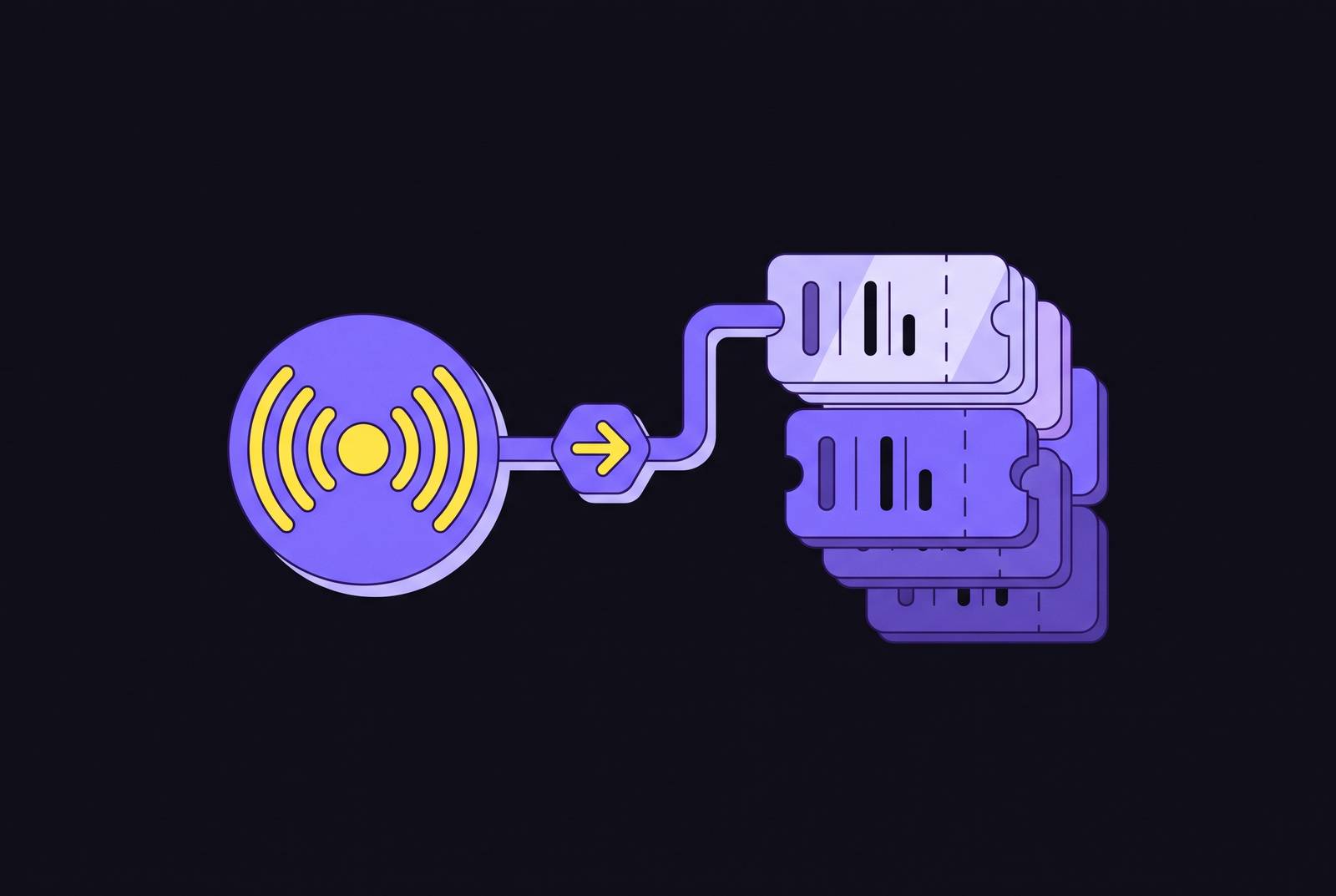
Continuous Controls Monitoring or Cloud Cost Management alerts matter only when they become work someone actually does. Few teams make it: alerts pile up, hardly any need real work, and the rest get skipped or hide the important ones. That gap comes down to workflow design rather than monitoring, and fixing it follows a logical sequence: map alerts to ticket fields early, tune thresholds carefully, configure routing thoughtfully, and ensure status syncs back to the source. Ignore the wizard's suggested order instead, and you may spend significant time undoing it.
What "CCM alerts" actually covers and why both meanings share the same integration problem
Engineers use the acronym in two ways, so let's separate them now. Continuous Controls Monitoring is a GRC and audit practice: it checks if IT and business controls work as expected and raises an alert when one fails. ISACA treats it as part of continuous assurance. Cloud Cost Management, by contrast, names a product category that includes tools like Harness CCM (also called CACM), ServiceNow CCM, and AWS Cost Anomaly Detection. It tracks spending, catches budget overruns, and suggests ways to cut costs.
Different domains, same mechanical problem underneath. In each case, a monitoring layer sends a signal to a ticketing system (Jira, ServiceNow, Azure DevOps) for resolution in the engineering team's normal workflow. ISACA's research puts it plainly: a warning about dropping control compliance only helps if you treat it like a real incident instead of dumping it in an ignored queue.
That research turns on one distinction that has to shape every later threshold decision, and most teams miss it from the start. A metric is simply a measurement recorded continuously. An alarm triggers when that metric crosses a defined standard. An alert is even narrower: it means something bad is happening now, not that it may happen later. Mix them up, and your severity levels are broken before the integration even starts. That mix-up, not the tools, is what causes most of the noise complaints that come up later.
Mapping alert types to ticket fields before touching any integration settings
Map an alert's shape as a ticket before anyone adjusts routing or sync settings. Cut that step to reach routing sooner, and the integration is built on shaky ground. A ticket without an owner, severity, or context gets ignored just like an alert nobody routed in the first place.
In controls CCM, you have to split a control failure alarm, which typically includes fields such as incident ticket type, severity, affected control, and risk owner details, from a threshold breach that acts more like a task, including relevant metric details and trend information. A policy exception request, though, is its own thing. It fits a change request or approval workflow, not an incident queue.
Cloud cost management CCM has its own version, too. When an anomaly alert fires, it creates a ticket or task with the spend change, the service or account involved, and the sensitivity level that set it off. A budget threshold breach may require an approval workflow. A rightsizing recommendation becomes a task or change request with the resource ID, the recommended action, and the estimated savings attached. The "Actual Savings Field Mapping" feature in Harness CCM links a Jira custom field to the savings realized when a recommendation ticket is applied. That wraps up the ROI loop, not only the routing one.
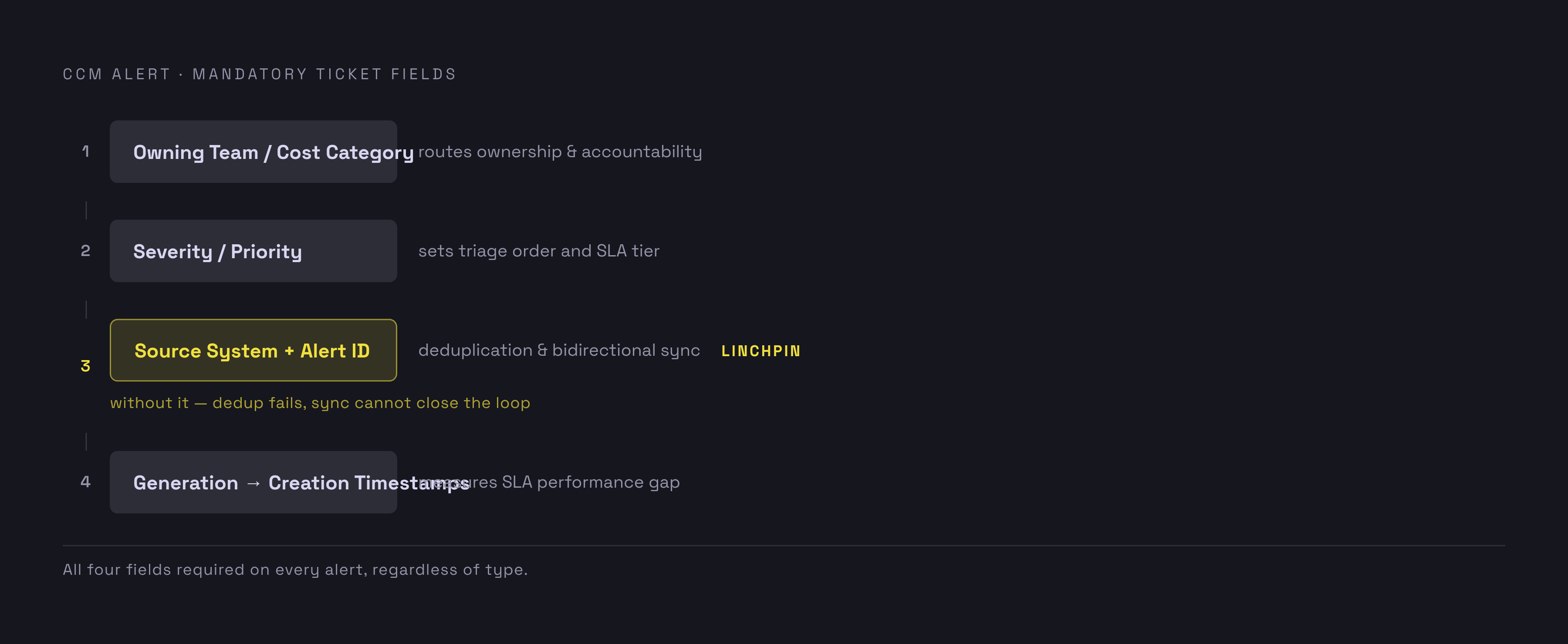
Every ticket needs four fields, no matter the alert type: owning team or cost category, severity or priority, source system and alert ID (needed for deduplication and later status sync), and alert generation timestamp versus ticket creation timestamp, which lets anyone measure SLA performance later. Identifying CCM tests and risk owners early, and assigning tickets to specific individuals rather than unmonitored queues, helps prevent alerts from being ignored.
Setting severity thresholds that filter signal from noise before tickets are created
Setting thresholds is a risk call, not a default you leave alone. Treat it as the latter, and this is where most implementations fall apart. Research highlights the challenge: keep the threshold too high and engineers drown in noise; keep it too low and the important alerts vanish into the crowd. Both of these failures are real. Both happen all the time when thresholds are copied from a vendor's default configuration, not the organization's own risk appetite.
Whatever the domain, For example, a board's stated risk appetite might trigger an alarm when a defined percentage of employees fail to complete required training or phishing tests.. The number reflects a stated risk tolerance, not a tool's default setting.
Distinguishing between metrics, alarms, and alerts helps guide ticket logic. Metrics are recorded continuously, while alarms and alerts may generate tickets based on severity and urgency. and should open high-severity incident tickets assigned at once. None allowed.
Cloud cost CCM applies that same logic to its own controls. Tune anomaly sensitivity in tools like Harness CCM to match real spend volatility, not the platform default. Treat budget limits as steps: hitting a high percentage of budget sends a task to the resource owner, and reaching the full budget limit opens an incident that pulls in a manager. If a rightsizing recommendation goes unactioned beyond a set window, its ticket priority should climb automatically instead of aging quietly in a backlog.
Deduplication and grouping logic needs to run before any of that creates a ticket. Group related alerts before a ticket gets created, not after; that's how the few needing a person get pulled from the flood that doesn't. Threshold tuning isn't something you set once either. Schedule reviews, monthly to start and quarterly after things settle, so you spot thresholds slowly sliding into alert storms or quietly hiding real problems.
Configuring the routing layer to get tickets to the right team automatically
Send tickets to the team that owns the resource, not based on alert type. That one rule stops more misrouted tickets than tweaking severity levels ever could. A cost anomaly in a dev team's Kubernetes cluster should go to that team's Jira project, not a central FinOps queue where it waits for manual forwarding.
Harness CCM's Default Project Mapping feature puts that idea into practice by tying cost categories to particular Jira projects, so the system picks where a ticket goes based on the resource's first matching cost category. Nobody has to manually send a recommendation to the team that can actually act on it. For controls, ServiceNow's CMDB connection ties GRC alerts to particular business services and IT assets, so whoever grabs the ticket gets the context for a genuine risk assessment instead of a bare alarm with nothing behind it.
A few routing rules need to be spelled out, not assumed: cost category maps to a Jira project or ServiceNow assignment group, control domain (security, financial, operational) maps to an owning team queue, severity maps to ticket priority and SLA tier, and the alert's source system decides whether the ticket becomes an incident, a change request, or a service request.
Most companies draw a familiar line: Jira tracks dev work before release, while ServiceNow tracks IT Ops once systems are live. Routing rules should follow that split instead of pushing every alert into one system no matter who's actually going to handle it. Ignoring that boundary may lead to frequent routing configuration changes later..
On AWS alone, there's a setup that skips custom middleware entirely: AWS Health events pass via EventBridge to the Service Management Connector, which builds and maps tickets in Jira or ServiceNow itself. CloudWatch alarms that hit an ALARM state can fire Jira Service Management alerts the same way, through EventBridge, with no custom integration layer in between.
Building bidirectional sync so ticket status flows back to the CCM platform
Sending alerts only from the CCM platform to the ticketing system fixes half the issue and silently brings back the rest. If the CCM platform doesn’t know a ticket was resolved, it alerts on the same condition again, opens a duplicate ticket, and proves what engineers already thought: the integration creates noise, not work. Sending status back isn't just an optional extra. Working sync versus a sync that just sits there, and teams who skip it learn that the hard way after three or four duplicate tickets.
How this plays out in practice is visible in Harness CCM's documented behavior. After a Jira status change maps to "Applied" or "Ignore List" in the CCM config, the platform checks and updates open recommendations tied to that Jira issue, typically within 24–48 hours. Daily batch jobs power its Auto Inference feature, which spots when a recommendation is truly applied, usually 24 to 48 hours after the window closes, and logs actual savings instead of projected ones. Jira resolution codes can automatically set Applied status in CCM, closing the loop without anyone manually using the CCM console.
ServiceNow can be configured so that resolving an incident updates the related CCM record.. Its ticket types for CCM recommendations can handle a managed lifecycle, including fulfillment and approvals., so the ticket's progress drives the CCM record's state, not the reverse.
When Jira and ServiceNow are both involved, several mechanisms manage the sync. Atlassian's ServiceNow integration can move incidents between systems, helping maintain consistency in alerts and assignments.. ServiceNow's Integration Hub Jira Spoke provides predefined actions to create and update Jira work items from ServiceNow workflows.. Sync tools from outside vendors like Exalate do more: real-time syncing, full visibility into queues, incident history kept in both systems, and ISO 27001 certification with role-based access control and encryption, which counts when neither system can be the lesser partner of the other. A 2026 Exalate case study tells how a global logistics company cut ticket resolution time by 40% after using JSM-ServiceNow sync to link its call center and support teams, crediting bidirectional sync as the mechanism behind the gain.
Testing the integrated workflow end-to-end before it handles real alerts
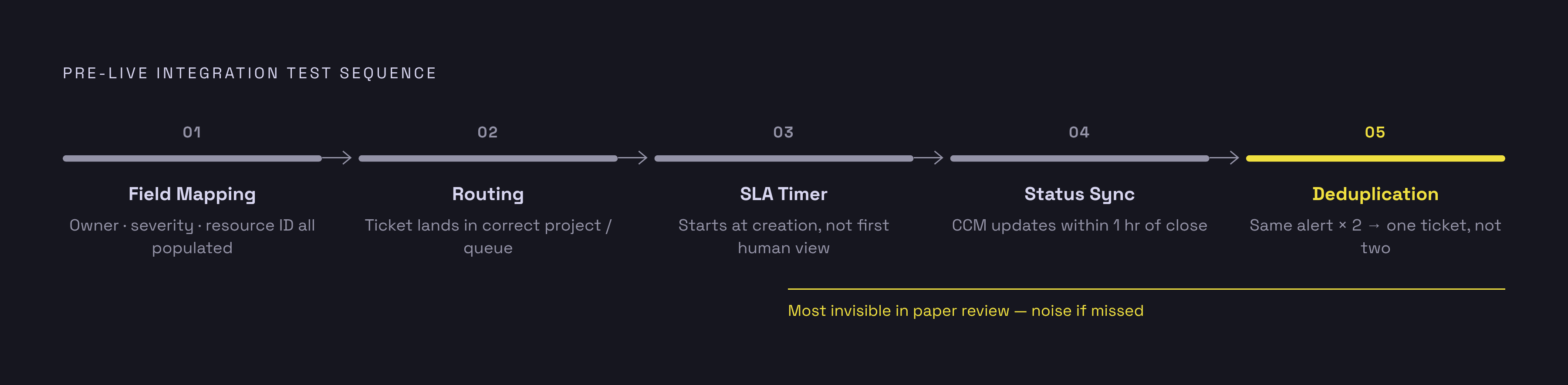
Nothing here should hit a real alert before going through a full test sequence. Push it live just because the routing rules "look right" on paper, and you'll bake in silent failures. Fire off a test alert at each severity level right in the CCM platform, then look at the field mapping: each field meant to reach the ticketing system has to show up right, no empty owner field, no default severity that slipped through, no missing resource ID.
Next, check that routing sends the ticket to the correct project or queue for its cost category or control domain. Next, check the SLA timer: make sure ticket priority lines up with the right SLA tier and the countdown starts the moment the ticket is created, not when a human happens to notice it. Next, check the sync: close the test ticket and confirm the CCM platform updates the alert or recommendation status within the expected window (an hour, for Harness CCM's Jira status sync). Finally, trigger the same alert twice and check that deduplication works. One ticket should be created, or the second alert should attach to the existing one rather than making a duplicate.
Bring three people into testing: the CCM platform owner, an engineer from every team that gets alerts, and the ticketing admin. Missing routes show up quickest when the ticket's true intended recipient is watching for it. Record what should happen for each alert type while testing runs, since those notes become the acceptance criteria and the baseline for future threshold reviews.
It doesn't need to happen overnight, and rushing it misses the point. ServiceNow's data shows the teams seeing the strongest CCM results usually wrap up setup in 8 to 12 weeks and hit normal operations around six months later. That timeline already includes testing and iteration. They don't mean the rollout is dragging.
Running and improving the integration once it is live
Right after going live, a few key metrics show whether it's really working. Watch how many alerts become tickets (a low number means you're missing suppressions, a high one means your thresholds are too loose), how long it takes to assign them, and resolution rates by team and alert type, since that's where routing breaks usually show up. Also watch the re-alert rate closely: if the CCM platform keeps creating alerts for conditions with an open ticket, that's a bidirectional sync gap, not a monitoring issue. For cloud cost CCM, measure actual savings against recommended savings, a figure Harness CCM's Auto Inference tracks automatically.
After launch, keep reviewing thresholds on schedule: monthly for the first quarter, quarterly once things settle. As infrastructure changes, alert volume shifts, and regular threshold reviews are what stop alarm floods from creeping back months later.
You need real figures to prove ROI, not a fuzzy promise of "better visibility" that falls apart when budgets get discussed. ISACA's research on continuous controls monitoring estimates that organizations can reduce the time to detect and respond to risk by about 50%. For cloud costs, companies on Harness CCM usually cut total cloud and AI spend by 20 to 30%, and AutoStopping drives non-production savings of 60 to 70%. Those numbers only stay credible when the ticket integration is tracking realized savings against recommended ones. Without that tracking, they're just numbers on a vendor's slide, not verified outcomes, so leadership should request the tracking data before buying the pitch.
Also look out for a bug that only appears after go-live, not in testing: unassigned tickets stacking up in a queue. That usually signals a routing rule aimed at a team that was reorganized or disbanded once the integration went live, and nobody updated the mapping.